Εμφάνιση αναρτήσεων με ετικέτα Programs News. Εμφάνιση όλων των αναρτήσεων

Παρασκευή 27 Ιανουαρίου 2017

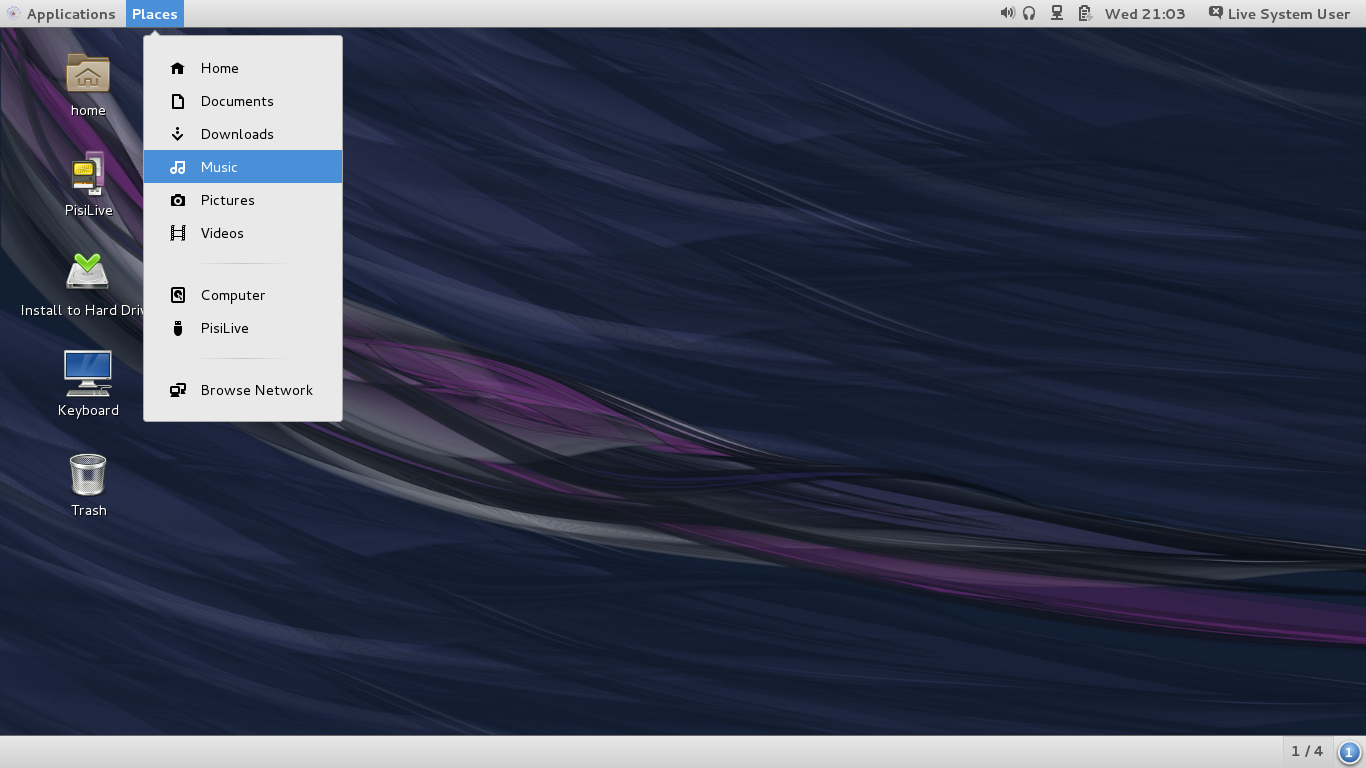
Scientific Linux 7.3 FREE DOWNLOAD [Preview Photo and Video]

Scientific Linux has received contributions from many people and organizations over the years, including participants from Fermilab, CERN, DESY and ETHZ. We’ve tried to give credit for these community members here.
These lists are sorted by last name and may include some specific contributions. If we forgot to list you, please let us know! We promise, it was a mistake rather than a deliberate omission.


Latest Releases of Scientific Linux:

Scientific Linux 7
Install and Live Media – x86_64
Scientific Linux 6
Install and Live Media – x86_64 Install and Live Media – i386
Scientific Linux 5
Install Media – x86_64 Install Media – i386


[   ]

SHA1SUM24-Jan-2017 15:52 612
[   ]SHA1SUM.gpgsigned24-Jan-2017 15:54 857
[   ]SHA256SUM26-Jan-2017 08:34 804
[   ]SHA256SUM.gpgsigned26-Jan-2017 08:35 1.0K
[ISO]SL-7-DVD-x86_64.iso16-Jan-2017 13:19 6.9G
[ISO]SL-7.3-Everything-x86_64.iso16-Jan-2017 14:10 7.8G
[ISO]SL-7.3-Install-Dual-Layer-DVD-x86_64.iso16-Jan-2017 13:19 6.9G
[ISO]SL-7.3-x86_64-2017-01-20-LiveCD.iso21-Jan-2017 03:27 698M
[ISO]SL-7.3-x86_64-2017-01-20-LiveDVDextra.iso21-Jan-2017 03:28 1.6G
[ISO]SL-7.3-x86_64-2017-01-20-LiveDVDgnome.iso21-Jan-2017 03:29 1.6G
[ISO]SL-7.3-x86_64-2017-01-20-LiveDVDkde.iso21-Jan-2017 03:30 1.7G
[ISO]SL-7.3-x86_64-netinst.iso16-Jan-2017 12:59 406M


Where Is Scientific Linux Running?

Scientific Linux has been installed all over the world. At one time or another Scientific Linux has had an install base in experiments on all seven continents. It has even been loaded onto systems at the International Space Station.
Probably the two most famous experiments to depend on Scientific Linux are the CDF and D0 experiments at Fermilab and the Large Hadron Collider experiments at CERN.
If you’d like to share how you’re using Scientific Linux, let us know via the mailing list. We’d love to hear from you!


 https://www.scientificlinux.org/downloads/
Σάββατο 7 Μαρτίου 2015

Popular torrent client can steal your CPU cycles to mine bitcoins


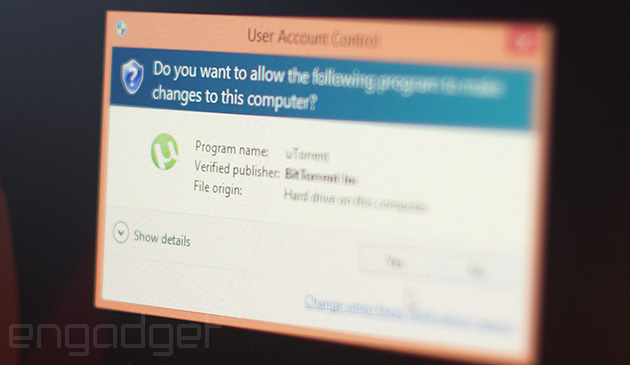
If you recently installed or updated uTorrent on your PC, you may have have picked up an unwanted passenger: a bitcoin miner called Epic Scale. If you don't pay attention, that piece of code can be inadvertently installed with the latest uTorrent build (version 3.4.2). It can then use your computer as part of a bitcoin farm (Litecoin, to be exact) to generate revenue for third parties. Users first reported the situation on uTorrent's forums, and it was quickly confirmed by a senior support manager. He said that the app "cannot be installed without permission," but one user claimed that there was "never a warning about it," even though he opted out of other bundled software.
Once it's installed, the program will take up CPU cycles, slowing your machine and causing it to burn more power. The support person described Epic Scale as "easy to uninstall," but some users reported otherwise. One said it didn't show up in the "Programs and Features" list for Windows, and another needed anti-adware software to be rid of it. (Epic Scale said the app can be uninstalled normally, but confirmed that it leaves behind registry keys.)
"We have reviewed the issue closely and can confirm there is no silent install happening." -- BitTorrent
uTorrent's parent company BitTorrent has denied that the software is installed without user consent, and told The Verge "we have reviewed the issue closely and can confirm there is no silent install happening... most likely, the users accepted the offer during the install." I attempted to install the software on my own PC, and can confirm that the software gave me the chance to decline or accept the "offer" -- though it could easily slip by a careless user. If it does, most antivirus companies have confirmed that Epic Scale isn't dangerous, though it could certainly be a performance-sapping nuisance.
BitTorrent said that the Epic Scale is "a great partner for us to continue to generate revenue for the company, while contributing funds to (philanthropic initiatives)." With the recent Lenovo SuperFish affair, however, users are on edge about unwanted software. One uTorrent forum user called Epic Scale's unexpected presence "quite a pity," adding "I will switch because of this."
Update: BitTorrent told The Verge that the Epic Scale software is not a "silent install," and we've confirmed it ourselves. It also told us that the user forums where the thread started may be down, and that no users' accounts have been suspended. The post has been updated with that information.

 http://www.engadget.com/2015/03/06/utorrent-bitcoin-miner/

Σάββατο 8 Νοεμβρίου 2014

How to Install adobe flash player on ubuntu 14.04

Installing flash player on ubuntu 14.04 :

Adobe flash player is the most essential application. it allows you to browse all multimedia content like animations, rich media content, flash games, videos etc. it supports all operating systems like windows, MAC, linux, Mobile OS, solaris, android more..
Here we can see how to install adobe flash player on Ubuntu 14.04 .

Command mode installation: ( 32 Bit OS)

Step 1 » Update the repository.
krizna@leela:~$ sudo apt-get update
Step 2 » Now install the flash player using the below command .
krizna@leela:~$ sudo apt-get install flashplugin-installer
This will install adobe flash player along with dependencies .

GUI mode installation:

Step 1 » Open “Ubuntu software center” . type “Adobe flash plugin” in the search box ( Top right ) and You can see the Adobe flash plugin in the list .
Install adobe flash player ubuntu 14.04
Step 2 » Now press  “install” and wait for the installation to complete .
Install adobe flash player on ubuntu 14.04
After installation you can view multimedia content in your browser .

All in one command . ( Alternative )

Alternatively the following command will install flashplugin along with all multimedia plugins and libraries that needed to play mp3 and video formats . please note it will take some time to install the packages .
krizna@leela:~$ sudo apt-get install ubuntu-restricted-extras

Ubuntu 14.04 64 bit

Above methods won’t work for 64 bit Ubuntu. Follow the steps to install in ubuntu 14.04 64 bit
Step 1 » Open /etc/apt/sources.list file . Find and uncomment the below lines .
deb http://archive.canonical.com/ubuntu trusty partner
deb-src http://archive.canonical.com/ubuntu trusty partner

Step 2 » Update the repository.
krizna@leela:~$ sudo apt-get update
Step 3 » Install flash plugin using the below command.
krizna@leela:~$ sudo apt-get install adobe-flashplugin
that’s it.

Testing installation:

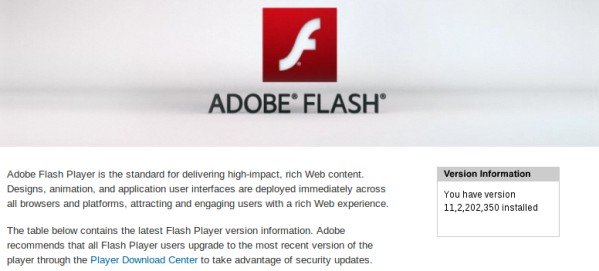
Now just open http://www.adobe.com/software/flash/about/ in your browser and you can see the flash player version details .


Install adobe flash player on ubuntu 14.04 testing
http://www.krizna.com/ubuntu/install-adobe-flash-player-ubuntu-14-04/

Σάββατο 17 Δεκεμβρίου 2011

Microsoft will automatically update the Internet Explorer


Good news for everyone! Microsoft has decided to be more confident that everyone will have the latest version of Internet Explorer for this to enable automatic updates. Until now, it's true that patches and key issues were included and were through ....


Windows Update. However, according to proho.gr, the transition from one version to another, was not fully automated, and open a separate window to the alarm that such and such Internet Explorer was ready for download, an extra step enough to discourage many. From now on, however, Internet Explorer will be updated so quietly with Windows, starting in January. The first will enjoy the new functionality are residents of Australia and Brazil and then released to the world.
The Ryan Gavin, senior director for Microsoft Internet Explorer, noted several benefits, most notably that the overall safety of the community of users of Windows will improve, since it will replace several outdated versions of the program, while the other developers will be able now dedicate to web design for modern browser.
 
 http://www.trelokouneli.gr/2011/12/microsoft-internet-explorer.html#ixzz1gnO6PTDe

Τετάρτη 14 Δεκεμβρίου 2011

Released the first commercial version of UTorrent


The popular torrent client UTorrent enters a new phase, with the release of the first pay issue.
The UTorrent Plus, as they say the new version, costing $ 25 a year and is equipped with features that sound pretty interesting.

Thus, the Plus version integrates antivirus from BitDefender, as well as converter for converting video files without having to use a third program. There, too, HD media player and tools for remote control of the client.

To clarify this point that the free version remains active and no one is obliged to pay to share files on network BitTorrent.


http://me1matia.blogspot.com/2011/12/torrent.html