Σάββατο 18 Μαΐου 2013

SpeedFan 4.49 freeware


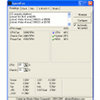
SpeedFan SpeedFan is a program that monitors voltages, fan speeds and temperatures in computers with hardware monitor chips. SpeedFan can even access S.M.A.R.T. info and show hard disk temperatures. SpeedFan supports SCSI disks too. SpeedFan can even change the FSB on some hardware (but this should be considered a bonus feature). SpeedFan can access digital temperature sensors and can change fan speeds accordingly, thus reducing noise. SpeedFan works fine with Windows 9x, ME, NT, 2000, 2003, XP, Vista, Windows 7, 2008, Windows 8 and Windows Server 2012. It works with Windows 64 bit too. 

RAID
Hover on the icons to read more about specific SpeedFan features.
temperatures cpu temperatures fans voltages SMART SCSI 


Download
                                       The latest version is SpeedFan 4.49.
 http://www.almico.com/speedfan.php
http://www.me1matia.net/2013/05/speedfan-449-freeware.html

Σάββατο 9 Μαρτίου 2013

Facebook Unfriend Finder 42.210 (Chrome) and 42.220 (Firefox) and Safari,Opera , Internet Explorer soon.


Unfriend Finder Logo  Who hasn't even noticed the number of their friends decreasing?

The popularity of Facebook is based on "friends" with whom we share everything and anything, and it makes us all sad when we realise someone is missing!
It's often difficult to know who disappeared, but now Unfriend Finder is here to help.

Unfriend Finder is a simple script that provides all its users to know which one of their friends are unfaithful.
The script "betrays" the contacts that removed you, despite the facebook's transparancy on these "Unfriend".
Once the script added, you'll notice within a few days time you may have some unfriends.
The script can show people who disappeared only after installing it, it is NOT retroactive.

Whether you use Facebook regularly, or just login from time-to-time to check what your friends are up to, we're certain Unfriend Finder will become a part of your Facebook daily, weekly or even monthly activities.


Unfriend Finder is compatible with all of the most used browsers, allowing you to enjoy this experience on Firefox, Google Chrome, Safari and Opera, and Internet Explorer soon.

Follow the installation tips for the browser you use. 
 1. If you had Greasemonkey
Since the new version 41, Unfriend Finder runs as a standalone extension on Firefox.

You don't need Greasemonkey anymore to run Unfriend Finder, so you have to make sure you have removed every older script of Unfriend Finder in Greasemonkey to avoid conflicts between versions of Unfriend Finder.

To do so, check your Greasemonkey userscripts by hitting CTRL+Shift+A, select UserScripts on the left, and click "Remove" next to Unfriend Finder.
Userscript removal

In the UserScripts section, Click "Remove" next to Unfriend Finder.
2. Install Unfriend Finder
Installing Unfriend Finder on Firefox has never been easier.
As a addon, Unfriend Finder is now hosted on the Firefox addons website. You can install it like any other addon !

  • Download home page here

  • Once downloaded, restart Firefox and enjoy using Unfriend Finder !  
  •  
    http://www.unfriendfinder.com/home

    http://www.me1matia.net/2013/02/gatakia-ftou-sas.html

    Facebook Emoticons List


    This is the complete list of standard facebook emoticons in 2013 with all 28 emoticons for facebook chat. Plenty of familiar smiley faces, angel emoticon, devil emoticon, sad emoticon, angry emoticon.. Learn how to make a penguin on facebook chat, how to make a heart on facebook and how to make newest poop emoticon.
    Facebook Smile Emoticon
    Smiley emoticon
    :)
    Facebook Grin Emoticon
    Big smile emoticon
    :D
    Facebook Frown Emoticon
    Sad emoticon
    :(
    Facebook Cry Emoticon
    Crying emoticon
    :'(
    Facebook Smiley With Tongue Out
    Tongue out emoticon
    :P
    Facebook Angel Smiley
    Angel emoticon
    O:)
    Facebook Devil Smiley Emoticon
    Devil emoticon
    3:)
    Facebook Confused Smiley
    Confused emoticon
    o.O
    Facebook Winking Smiley
    Wink emoticon
    ;)
    Facebook Gasp Emoticon
    Surprised emoticon
    :O
    Facebook Squint Smiley
    Squint emoticon
    -_-
    Facebook Angry Smiley
    Angry emoticon
    >:O
    Facebook Kiss Smiley
    Kiss emoticon
    :*
    Facebook Heart Symbol
    Heart emoticon
    <3
    Facebook Chris Putnam Smiley
    Chris Putnam emoticon
    :putnam:
    Facebook Kiki Smiley
    Kiki emoticon
    ^_^
    Facebook Glasses Smiley
    Glasses emoticon
    8)
    Facebook Sunglasses Smiley
    Sunglasses emoticon
    8|
    Facebook Shark Smiley
    Shark emoticon
    (^^^)
    Facebook Robot Smiley
    Robot emoticon
    :|]

    Facebook Grumpy Smiley
    Grumpy emoticon
    >:(
    Facebook Pacman Emoticon
    Pacman emoticon
    :v
    Facebook Unsure Smiley
    Unsure
    :/
    Facebook Curly Lips
    Curly lips emoticon
    :3
    Facebook Penguin Smiley
    Penguin emoticon
    <(")
    (y) Thumb Up Like Facebook Emoticon
    Thumb Up
    (y)
    Poop - New Facebook Emoticon
    Poop
    :poop:


     http://www.symbols-n-emoticons.com/p/new-facebook-emoticons.html

    Τετάρτη 6 Μαρτίου 2013

    Offline Windows Password & Registry Editor, Bootdisk / CD


    I've put together a single floppy or CD / USB Drive which contains things needed to reset the passwords on most systems. The CD can also be installed on a USB drive, see readme.txt on the CD.

    The bootdisk should support most of the more usual disk controllers, and it should auto-load most of them. Both PS/2 and USB keyboard supported.
    More or less tested from NT3.5 up to Windows 7, including the server versions like 2003 and 2008. Also 64 bit windows supported.
    DANGER WILL ROBINSON!
    If password is reset on users that have EFS encrypted files, and the system is XP or newer, all encrypted files for that user will be UNREADABLE! and cannot be recovered unless you remember the old password again
    If you don't know if you have encrypted files or not, you most likely don't have them. (except maybe on corporate systems)
    Please see the Frequently Asked Questions and the version history below before emailing questions to me. Thanks!

    How to use?

    Please read the walthrough and the FAQ before mailing me questions If you have the CD or USB, all drivers are included.
    If you use the floppy, you need one or more of the driver floppies, too.

    Overview

    1. Get the machine to boot from the CD or USB drive.
    2. Floppy version need to swap floppy to load drivers.
    3. Load drivers (usually automatic, but possible to run manual select)
    4. Disk select, tell which disk contains the Windows system. Optionally you will have to load drivers.
    5. PATH select, where on the disk is the system?
    6. File select, which parts of registry to load, based on what you want to do.
    7. Password reset or other registry edit.
    8. Write back to disk (you will be asked)
    DON'T PANIC!! - Most questions can usually be answered with the default answer which is given in [brackets]. Just press enter/return to accept the default answer. The walkthrough and instructions is now on its own page! but is quite old.. hope to make a new one..

    What can go wrong?

    Well. Lots of things, actually. But most of the problems is of the type "cannot find" something. And then nothing happens. Also, see the FAQ for help with common problems.
    For linux-knowledged people, you may do things manually if the scripts fail, you have shells on tty1-tty4 (ALT F1 - ALT F4).

    Bootdisk history

    2011-05-11
    • Newer kernel with newer disk and NTFS drivers as usual.
    • Hopefully fixed the problem for the CCISS driver used in a lot of servers, for example the HP DL3xx series and such. Thanks to everyone who reported it, and also to the several people who explanined my mistake (I missed that the access path for it had changed in the driver).
    • Some minor tweaks to the path select again. See also below.
    • Major bugfixes and functionality expansion of the registry edit functionality, but that is more for administrators using the tool in their own ways. See other pages on this site.
    2010-06-27
    • Newer kernel with newer disk drivers as usual.
    • Path select has been improved, I hope, it should now also tell what it does find on its way, and be more likely to work automatically.
    • If it does not find the correct path, you probably selected the wrong partition.
    • NOTE: Windows 7 has a small boot partition first (number 1) for the boot loader, and my system may not be smart enough to select number 2 instead. So you select number 2 manually. Thanks! :)
    • Release contains some small bugfixes that may be able to handle some problematic registries. Or maybe not.
    • For more change info not directly related to regular password reset, se the other pages.
    2008-08-02
    • Update 2009-12-01: This old 2008-08-02 release also works on Windows 7, all versions as far as I know. New release hopefully sometime early 2010.
    • Now uses NTFS-3g as NTFS filesystem driver.
    • This hopefully removes some problems regarding dirty and "bad flags" NTFS volumes.
    • You will be asked if you like to force your way and continue anyway if the disk has been uncleanly shut down.
    • There exists a small chance of problems with the very latest written files before the unclean shutdown if you select to force it.
    • Safest is still to boot into windows and shut down properly if that is possible with an unclean volume.
    • Path select now hopefully better at detecting default suggestion and to actually find it...
    • Newer kernel, and probably newer and better drivers.
    • No changes to the passord/registry edit program (chntpw) since last release.
    • Sorry, did not have the time to finish the floppy version yet.
    2008-05-26
    • Newer kernel, and probably newer and better drivers.
    • Windows Dynamic Disks now supported, but maybe not all combinations of mirrors etc. It recognizes the partition layout at least.
    • Should now be possible to load extra drivers (drivers?.zip) from USB the same way as with floppy. Or maybe not. Did not test it that much.
    • Fixed a lot of bugs in the registry handling, did not affect password reset much, but did affect larger registry edits.
    • You still may experience hangs when the NTFS disk is mounted, it will hang after saying "NTFS version x.xx" or such. If there is disc activity, just wait, it may take a while.
    2007-09-27
    • Patched up NTFS driver to get rid of hang on mount in many cases (after selecting disk). Got many problem reports on this. At the same time someone on the NTFS-for-linux mailinglist mentioned it, and Anton Altaparmakov made a patch very quick. Thank you Anton!
    • Nice if people experiencing the hang in 2007-09-23 can mail me and tell if the fix worked or not. Thanks!
    • NOTE: It may still take up to a minute or two to select the disk.
    • Floppy version had a script bug making it crash in the first menu. Fixed.
    • CCISS driver (HP/Compaq DLxxx etc) had different device paths. Hacked in support for it, may not be 100% still.
    2007-09-23
    • Floppy version is back! (requires 3 floppies to get all drivers, but you can compose your own driver set so you only need 2)
    • Yes, VISTA is supported (even more)
    • Disk select now indicates which disks are removable, ie are USB keys for instance.
    • Check for "read-only" NTFS mount, you get instructions on what to do if there are problems with the disk so changes won't be saved.
    • Missed out on some IDE/ATA and SATA drivers last time, better now.. I hope.
    • User can be added to the administraror group, making them administrators.
    • Stupid typo in readme.txt on CD fixed, on how to make USB bootable.
    (earlier history removed)
    9705xx
    • First public release.

    Download

    Note: Some links may be offsite.
    CD release, see below on how to use
    • cd110511.zip (~3MB) - Bootable CD image. (md5sum: fe0d30a1c540ec6757e748c7c09e2e4f)
    • usb110511.zip (~3MB) - Files for USB install (md5sum: 50ced8d2a5febe22199f99acec74e63b)
    • cd100627.zip (~4MB) - Previous version CD. (md5sum: 6d80cdfbba97457e413f95a3554d9524) The files inside the USB zip are exactly the same as on the CD. See below for instructions on how to make USB disk bootable.
    Floppy release (not updated anymore), see below on how to use them
    • bd080526.zip (~1.4M) - Bootdisk image (md5sum: 37889e4c540504e59132bdcdfe7f9bb7)
    • drivers1-080526.zip (~310K) - Disk drivers (mostly PATA/SATA) (md5sum: 72ac1731c6ba735d0ac2746a30dbc3ee)
    • drivers2-080526.zip (~1.2M) - Disk drivers (mostly SCSI) (md5sum: 30172bec657c85a5f1a0b43601452fb7)
    Previous versions may sometimes be found here (also my site)
    NOTE: Versions before 0704xx will corrupt the disk on VISTA!
    NOTE THAT THE BOOTDISK CONTAINS CRYPTHOGRAPHIC CODE, and that it may be ILLEGAL to RE-EXPORT it from your country.

    How to make the CD

    Unzipped, there should be an ISO image file (cd??????.iso). This can be burned to CD using whatever burner program you like, most support writing ISO-images. Often double-clikcing on it in explorer will pop up the program offering to write the image to CD. Once written the CD should only contain some files like "initrd.gz", "vmlinuz" and some others. If it contains the image file "cd??????.iso" you didn't burn the image but instead added the file to a CD. I cannot help with this, please consult you CD-software manual or friends.
    The CD will boot with most BIOSes, see your manual on how to set it to boot from CD. Some will auto-boot when a CD is in the drive, some others will show a boot-menu when you press ESC or F10/F12 when it probes the disks, some may need to have the boot order adjusted in setup.

    How to make an bootable USB drive


  • Copy all the files that is inside the usbXXXXXX.zip or on the CD onto an usb drive, directly on the drive, not inside any directory/folder.
  • Please know that getting some computers to boot from USB is worse than from CD, you may have to change settings, or some will not simply work at all.

    How to make the floppy

    The unzipped image (bdxxxxxx.bin) is a block-to-block representation of the actual floppy, and the file cannot simply be copied to the floppy. Special tools must be used to write it block by block.
    • Unzip the bd zip file to a folder of your choice.
    • There should be 3 files: bdxxxxxx.bin (the floppy image) and rawrite2.exe (the image writing program), and install.bat which uses rawrite2 to write the .bin file to floppy.
    • Insert a floppy in drive A: NOTE: It will lose all previous data!
    • Run (doubleclick) install.bat and follow the on-screen instructions.
    • Thanks to Christopher Geoghegan for the install.bat file (some of it ripped from memtest86 however)
    Or from unix:
    dd if=bd??????.bin of=/dev/fd0 bs=18k

    How to make and use the drivers floppy

    • Simply copy the zip file onto an empty floppy.
    • You MUST NOT UNZIP THE ZIP FILE!
    • Depending on your hardware you may only need one of the driver sets or the other, or maybe both.
    • To use, insert one of the driver floppies when asked for it after booting, the zip file will be unzipped to memory.
    • If no drivers matched (no harddisk found), you can select 'f' from the main menu to load the other driver set.
    • Then select 'd' to auto-start the new drivers (if it matches your hardware)
    • Sometimes it fails detecting the floppy change and you get an error, just select 'f' again, it works the second time.
    • For more advanced users that uses this often, it is possible to unzip just the drivers you need and zip them up into a new zip archive. The zip file name must start with "drivers", the rest is ignored. (it unzips drivers*.zip)

    Other places to go for password and disk recovery

    Bootdisk credits and license

    Most of the stuff on the bootdisk is either GPL, BSD or similar license, you can basically do whatever you want with all of it, the sourcecode and licenses can be found at their sites, I did not change/patch anything.
    The "chntpw" program (password changer, registry editor) and "reged" is licensed under GNU GPL v2. COPYING.txt
    Stuff I used, big thanks:


  • It is OK if there are other files on the USB drive from before, they will not be removed.
  • Install bootloader on the USB drive, from command prompt in windows (start the command line with "run as administrator" if possible)
    • X:syslinux.exe -ma X:
  • Replace X: with the drive letter the USB drive shows up as (DO NOT USE C:)
  • If it seems like nothing happened, it is usually done.
  • However, a file named ldlinux.sys may appear on the USB drive, that is normal.
  • It should now in theory be bootable. 
  •  

  • ZippyShare.com - Free File Hostinghttp://pogostick.net/~pnh/ntpasswd/

    <-- FROM HOST FILEBY USB ...


    AND FOR LIVE BOOT CD --> ZippyShare.com - Free File Hosting

    Τετάρτη 8 Φεβρουαρίου 2012

    G3 Torrent – Portable BitTorrent

    Download version 1.01 here

    Description

    A feature rich and graphicaly empowered bittorrent client written in python.
    Features

    Queuing and downloading of multiple torrents. (Starting, stopping, pausing, queue up, queue down etc)
    Real-time list of peer addresses and their statistics. Reverse DNS toggle-able.
    Advanced Progress bar graphically illustrates which pieces of the file have been downloaded.
    A graph to display upload and download rates over time. Each torrent being downloaded has it's own graph record.
    Optional Web Interface for remote adminstration.
    Friends Priority System. Friends IP address can be set to get upload preference if they are downloading the same file.

     
    Temporary upload priority can be given to peers by right clicking them in the list.
    Peers can be banned by right clicking them in the list.
    With torrents that contain multiple files:
    The user can select the order they will download in.
    This is usefull in cases where you only really want 1 file in the torrent.
    Or need certain files to arrive before others.
    The client will not reject peers who want to upload but do not have pieces from the file that has the immediate download priority.
    Or they can be downloaded in a random order. (Rarest pieces first algorithm not withstanding)
    In most cases this is the best strategy. As it is benefits the overall health of the torrent by keeping a wide range of pieces available, and reduces reliance on seeders.
    "Fast Resume" capability.
    When restarting or resuming, the client will automatically reconnect to all of those peers you were connected when you either exited the client or paused a torrent.
    Detailed message view for statistics and error reporting.
    System tray icon graphically displays upload download statistics.
    Peer list view can identify and display what client the peer is using. (Azureus, Shadow, and other clients that identify themselves uniquely)
     
    Can be set to use user customizable folders for storing torrent and incoming files.
    User customizable automatic stopping criteria. Torrents can be set to stop:
    Always automatically stop when download completes
    Only when there other files in queue
    Only After seeding for N period of time
    Only After uploading N% or a ratio of what you have downloaded
    Never automatically stop
    User customizable upload choker (the choker determines which peer you upload to):
    User customizable color settings to change look and feel.
    User customizable global upload rate.
    User customizable upload behavior (upload rate / number of uploads)
    User customizable listening ports, ip bindings
    Multi-Tracker support
    Utilizes the Bittorrent 3.4.1a code-base
    Written in Python. Utilizes wxWidgets.

    G3 Torrent Screenshot
    Authors Website: g3torrent.sourceforge.net
    License: Open Source
    Download: Get the G3 Torrent zip


    Πέμπτη 19 Ιανουαρίου 2012

    Anonymous says it attacks DOJ site after feds shut down piracy hub Megaupload

    megaupload down
    NEW YORK (CNNMoney) -- In one of the U.S. government's largest anti-piracy crackdowns ever, federal agents on Thursday arrested the leaders of and shut down Megaupload.com, a popular hub for illegal file sharing.
    Hours later, Megaupload's fans turned the table on the feds. "Hacktivist" collective Anonymous said it set its sights on the U.S. Department of Justice and apparently knocked the agency's website offline.
    "We are having website having website problems, but we're not sure what it's from," a DOJ spokeswoman told CNNMoney.
    The DOJ website glitches came soon after various Twitter accounts associated with Anonymous took aim at the agency.
    "One thing is certain: EXPECT US! #Megaupload" read one tweet from AnonOps.
    One hour later, the same account tweeted a victory message: "Tango down! http://universalmusic.com & http://www.justice.gov// #Megaupload"
    Universal Music's website also went down Thursday afternoon. The music company had been locked in a legal battle with Megaupload over a YouTube video that featured many of Universal Music's signed artists promoting Megaupload's site.
    The websites of the Recording Industry Association of America and Motion Picture Association of America also went down Thursday afternoon. On Twitter, AnonOps took credit for the crashes.
    Anonymous's favourite weapon for these attacks is what's called for a "distributed denial of service" (DDoS) attack, which directs a flood of traffic to a website and temporarily crashes it by overwhelming its servers. It doesn't actually involve any hacking or security breaches.
    The Anonymous attack came soon after the DOJ announced the indictment of seven individuals connected to Megaupload for allegedly operating an "international organized criminal enterprise responsible for massive worldwide online piracy of copyrighted works."
    Authorities said the operation had generated more than $175 million in illegal profits through advertising revenue and the sale of premium memberships.
    According to the indictment, Megaupload, which launched in 2005, was once the 13th most visited website on the Internet, serving as a hub for distribution of copyrighted television shows, images, computer software and video games.
    The site's popular MegaVideo subsidiary was widely known in tech circles for its copious selection of pirated content, including recent movies and episodes of hit TV shows.
    Four of those indicted were arrested Thursday in Auckland, New Zealand, at the request of the U.S. Three others remain at large.
    The individuals indicted are citizens of New Zealand, Germany, Slovakia and the Netherlands. No U.S. citizens were named, however, Megaupload has servers in Ashburn, Virginia and Washington D.C., which prompted the Virginia-based investigation.
    FBI agents executed 20 search warrants in the U.S., while authorities conducted additional searches in eight other countries. Officials say they seized about $50 million in assets.
    The news comes as lawmakers have turned their attention to anti-piracy legislation. Protests erupted both online and offline this week against two bills currently under consideration in Congress: the House's Stop Online Piracy Act (SOPA) and the Senate's Protect IP Act (PIPA).
    The bills are aimed at cracking down on copyright infringement by restricting access to sites that host or facilitate the trading of pirated content. But the legislation has created a divide between tech giants, who say the language is too broad, and large media companies, who say they are losing millions each year to rampant online piracy.

    http://money.cnn.com/2012/01/19/technology/megaupload_shutdown/index.htm

    Megaupload Megavideo Down January 19 2012


     Megaupload Megavideo Down January 19 2012 FBI takes down Megaupload.com
    megaupload downNotorious file locker Megaupload has been taken down today as of 2:15PM, the day after SOPA was shelved. Seven individuals and two corporations- Megaupload Limited and Vestor Limited – have been charged by the FBI for piracy related crimes in the United States and New Zealand and forced to shut down Megaupload.com . This marks the largest criminal copyright cases ever in the history of the United States as the site generated $175 million in criminal proceeds and allegedly caused more than $500 million in damages to copyright holders.
    In response to the closure, Anonymous has launched a distributed denial service attack on several web properties owned by those complicit in the Megaupload bust.

    http://firstsearchblue.com/megaupload-down-fbi/